 Herd
Dispatcher
Keep loads, carriers and schedules together.
Saved locations and routes help reduce repeated entry.
See the dispatcher flow →Plan the week, follow driver updates, and keep BOLs with the right loads—so your office spends less time chasing information and more time getting work finished.
Card required · No charge today.
Then $1 per eligible completed load, plus applicable tax. See trial and billing details.
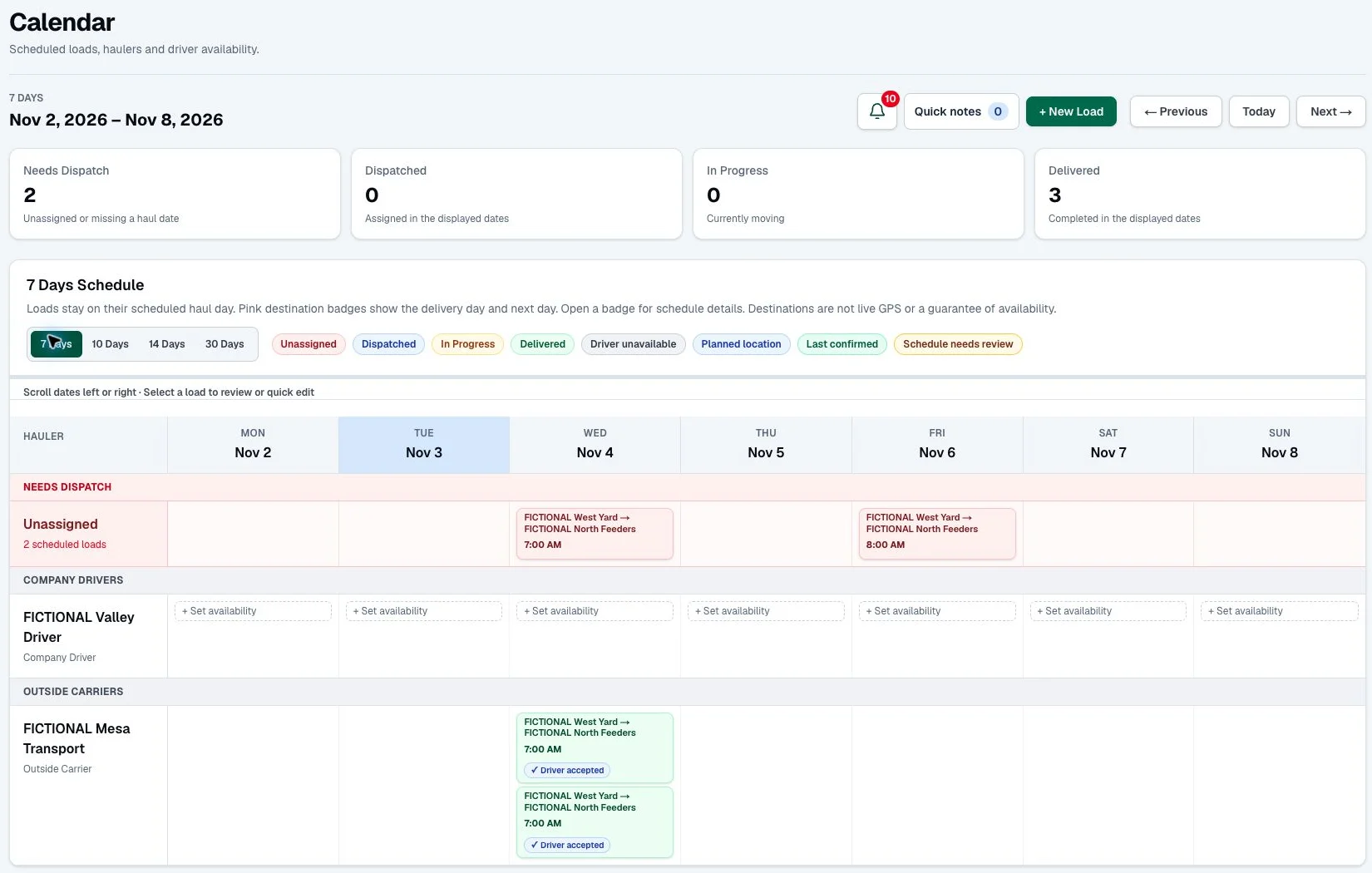

Designed for the office. Built for the chute.
Follow a sample load through the dispatcher, driver and office workflow.
Choose saved customers, stops and a carrier. Keep the details together from the start.
Share the private load link so the driver can review the stops and respond.
Delivery details and uploaded paperwork return to the associated load.
Check customer charges, carrier pay and deductions before creating accounting records.
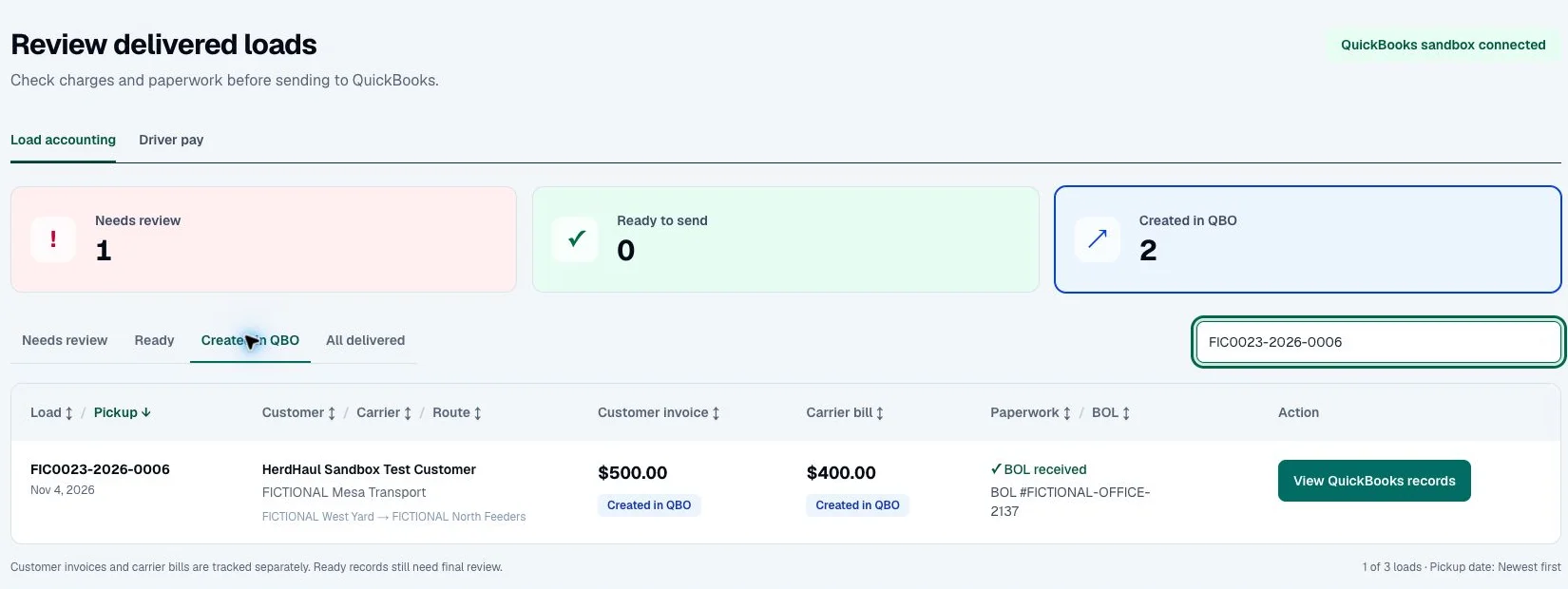
Actual screens from a fictional demonstration load. Explore without signing in. The walkthrough itself sends no messages or transactions.
Read how it works →Keep loads, carriers and schedules together.
Saved locations and routes help reduce repeated entry.
See the dispatcher flow →Open instructions, view stops and upload paperwork.
Private load links keep the next step close at hand.
See the driver flow →Review charges, dispatch fees and QuickBooks records.
See which delivered loads still need attention.
See the office flow →Start with a 30-day dispatch trial. After the trial, eligible completed loads are $1 each, plus applicable tax. For example, 100 eligible loads in a month cost $100 before tax.
View pricing →Tell us about your loads, routes and setup needs. We’ll discuss the right starting point for your operation.
Ask about setup help →Yes. Create your account, verify your email and set up your company. If you are joining an existing team, use your company invitation.
No. Drivers open the private load link their dispatcher sends, review instructions, accept and upload their BOLs. Native apps are a separate release; contact us about availability.
No. It uses fictional sample data and never connects to QuickBooks, sends driver messages or creates transactions. In your account, authorized users review records before sending.
Adam’s background in feedlot management shapes HerdHaul: clear schedules, useful driver instructions and paperwork that stays with the right load.
Meet HerdHaul →Create your account, verify your email, set up your company and start with one load.
Start my 30-day trial →Already invited? Sign in or open your invitation.