Create a hauling requirement
Quick reference guide
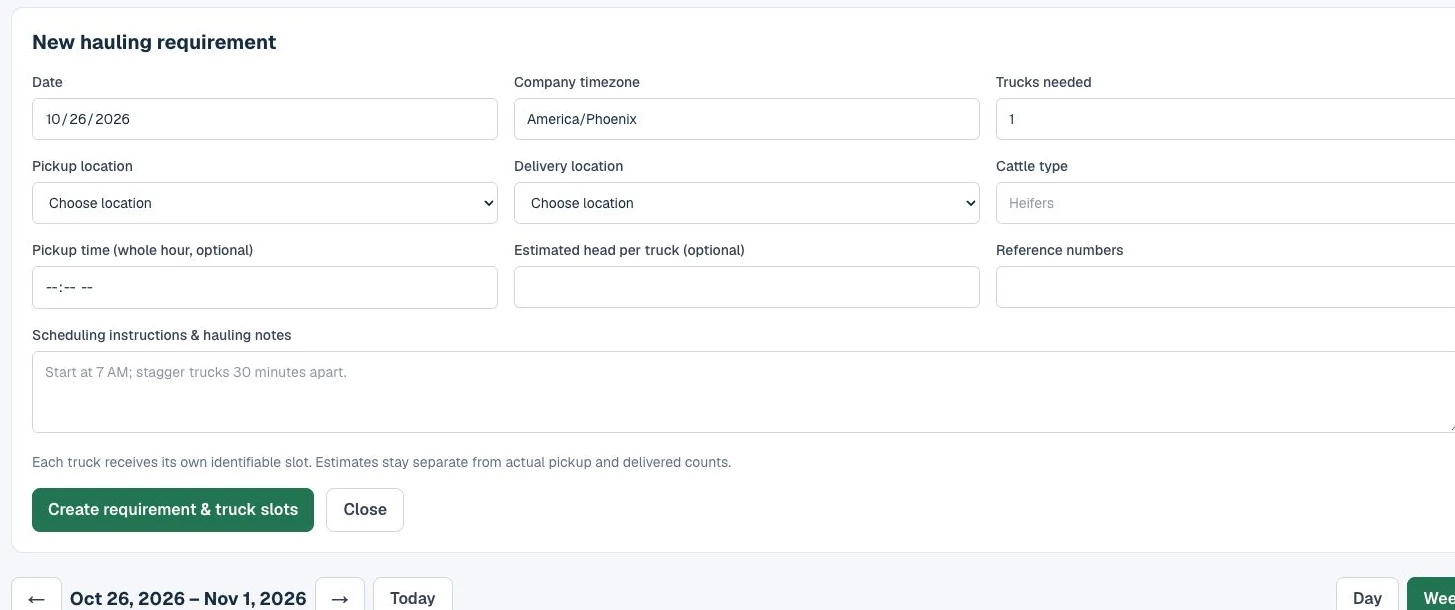
1Add a requirement
Open Schedule & Allocation and choose + Add requirement.
2Enter the hauling details
Choose date, trucks needed, pickup, delivery, and cattle type. Add time, estimated head per truck, reference, and instructions as needed.
3Create the truck slots
Click Create requirement & truck slots. Each requested truck receives its own identifiable slot.